


Threads
4.038.54K Reviews
App Specs
- Version
- 443.0.0.48.82
- Updated On
- License
- Free
- Downloads
- 500,000,000+
- Developer
- Categories
- Social
- Platform
- Android, iOS
Screenshots
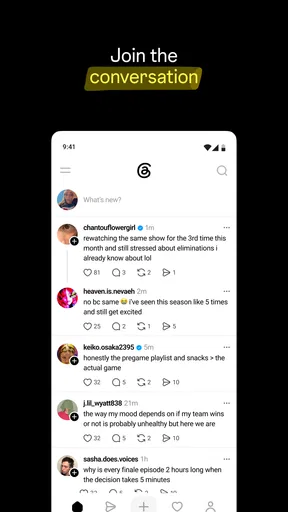
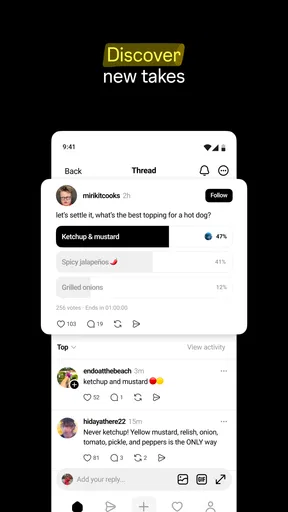
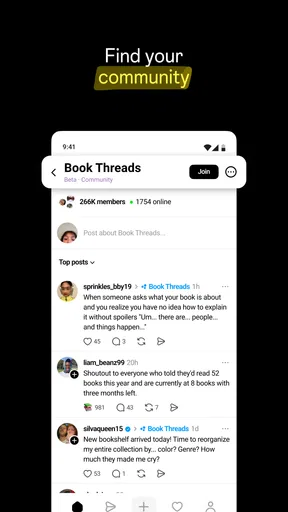
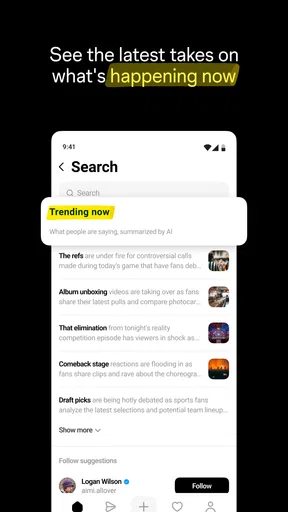
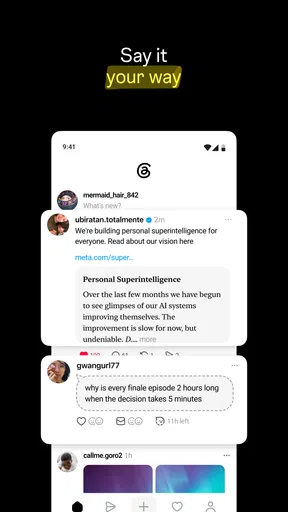
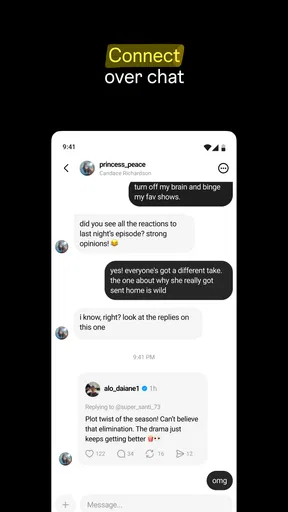
 Analysis by AppCompare
When I first tried Threads, I wanted a calmer way to keep up with people and ideas without feeling pulled into every corner of social media. It is a social app from Instagram, and its central appeal is conversation: short posts, replies, and exchanges that can make a passing thought feel like the start of something more. My first useful takeaway was simple: it works best when I treat it as a place to follow topics and people I care about, not as another feed I have to keep checking.
First Impressions
Opening Threads for the first time is like stepping into a cozy little chat room created just for your inner circle. The interface is sleek and straightforward, keeping distractions to a minimum. It feels as though the app is whispering, "Hey, this is your space." It's all about connecting with those you actually want to hear from, without the barrage of noise typical of larger platforms.
That quiet-room feeling is a useful expectation, but I would not mistake Threads for a private group chat. Posts and replies can travel beyond the people I already know, and the experience depends heavily on whom I follow and what I choose to engage with. I find it more helpful to think of it as a public-facing conversation space that can still feel personal when I shape my feed carefully.
Guides and Analysis on Threads
Setting Up and Getting Started
Getting started is refreshingly easy. The app seamlessly integrates with your existing accounts, which means you can be up and running in no time. I appreciated the option to customize notifications, so I'm not constantly bombarded with alerts. Instead, I get to choose when and how I interact, which is a huge plus for anyone trying to tame their digital life.
For a first-time user, I recommend taking a moment before following everyone suggested during setup. Choosing a handful of accounts whose posts genuinely interest you gives the feed a clearer starting point; you can broaden it later when you see which conversations are worth your time. If you already use Instagram, the connection between the two makes the first steps feel familiar, but Threads has its own conversation-focused rhythm rather than simply being a place to browse photos.
It is free to download, with in-app purchases listed from $0.99 to $127.99 per item. The app is rated Teen, so I would still use ordinary judgment about what younger users encounter in social conversations. Its current version is 410.0.0.55.71, and the scale is substantial: it has more than 500 million installs, alongside an average rating of 4.1 from around 2 million ratings. Those figures suggest a widely used service, but they do not guarantee that its feed will suit your interests; your own follow choices matter more.
Features That Stand Out
One of the standout features is the ability to prioritize conversations. It’s like having a VIP section for your most important contacts. I found this incredibly useful for staying connected with family and close friends. The app also offers a unique take on status updates, allowing you to share what you're up to without broadcasting it to the world.
Worth Reading Before You Choose

Switching to Android Auto Means Rethinking Your Driving Routine

Google Calendar Makes a Crowded Week Easier to Manage

Ludo King Makes the Most of the Minutes Between Plans

Baby Panda World Brings Quick Play to Modern Phones, but Its Game Library Feels Busy

ESPN’s Live Game View Makes Following Close Games Easier

QuizzLand Review: A Good Fit for Short Trivia Breaks, Not Every Player
For me, a good first success is not getting a large audience; it is finding one conversation worth joining. I might read a post about a topic I care about, reply with a specific question, and then return later to see whether the discussion developed. That small loop makes the app feel useful without requiring me to invent a polished post or spend an hour scrolling. If I want to share something, I try to give it enough context that a stranger can respond meaningfully.
A practical habit is to use notifications selectively. Turning on alerts for every reaction can make a social app feel urgent, even when nothing needs an immediate answer. I prefer to check in when it suits me and reserve alerts for interactions I truly want to notice. Likewise, following accounts for distinct reasons—friends for personal updates, creators for ideas, and subject specialists for discussion—makes it easier to understand why a post appears in my feed and what I want from it.
Another aspect worth mentioning is the security and privacy features. In a time when privacy concerns are at the forefront, it’s comforting to know that Threads prioritizes keeping your information secure. It's built with end-to-end encryption, which means your conversations stay between you and your friends.
I would be careful not to let the reassuring tone of a familiar interface decide what I share. A conversational post can still be seen and discussed in a social setting, so I pause before publishing anything personal, sensitive, or likely to be misunderstood outside its original context. That is a sensible habit on any social platform, and especially useful when a quick reply feels more private than it really is.
Finding a Useful Routine
After using Threads for a few weeks, I've noticed it naturally integrates into my daily routine. It doesn’t demand constant attention, and yet, it’s there when I need it. The app feels like a digital reflection of a quiet coffee chat with a good friend—personal and meaningful.
A realistic everyday use is checking in during a lunch break: I scan a few conversations about a hobby or current interest, leave one thoughtful reply, then close the app rather than chasing every new post. That approach gives me the social part I wanted without turning a short pause into an endless session. For a small business owner, artist, or community organizer, the same conversational format can also be a way to share a quick thought and hear responses, though it is not a substitute for a carefully organized help desk or a private customer-support channel.
Compared with messaging apps, Threads is better suited to open discussion than to coordinating plans that should stay between a few people. Compared with image-first social feeds, it puts more emphasis on words and replies, which is welcome when I want to discuss an idea rather than present a finished visual. The trade-off is that a text-led feed can still become noisy or repetitive if I follow too broadly, and there is no guarantee that every post will lead to a worthwhile exchange.
From Instagram, Threads is the developer’s social app, and its store summary points toward connecting and sharing ideas. It was released on May 1, 2023, and has 33K reviews. I see that reach as a reason it may be easy to find active conversations, not as proof that every community will be a good fit. If my priority is a tightly controlled private conversation, I would choose a messaging app instead; if I want a chronological record of updates from a small group, a group chat may be simpler.
Where It Fits—and Where It Doesn't
From sharing quick updates to having deeper conversations, Threads provides a platform that supports both. It's not about being the loudest voice in the room but about being present and connected. This has brought a refreshing change to how I communicate online.
The app suits people who enjoy exchanging opinions, following creators or communities, and adding their own perspective in short bursts. It is less appealing if you want social media to remain strictly private, if you dislike reading public replies, or if you are trying to reduce the number of feeds competing for your attention. In those cases, using a smaller group chat—or skipping another social account altogether—may be the more comfortable choice.
One useful way to judge whether it is working for you is to ask what you came away with after a few visits: a helpful tip, an interesting exchange, or a connection you would otherwise have missed. If the answer is mostly that you lost time to posts you did not care about, adjust whom you follow and how often you open the app. If that still does not improve the experience, there is no need to force it into your routine.
Final Thoughts
In a world where social media can feel overwhelming, Threads offers a breath of fresh air. It's perfect for those who value quality over quantity in their digital interactions. Whether you're looking to streamline your communication or just want a space to connect with those who matter most, this app is definitely worth a try. Give it a go and see if it brings the same calm and connection to your life as it has to mine.
My recommendation is to start small: follow a few accounts, tune notifications to your comfort, and look for one conversation you genuinely want to join. That gives you a fair test without making the app another obligation. Threads can be a pleasant place to think aloud and meet ideas in progress, but its value comes from the people and discussions you choose—not from keeping it open all day.
Pros
- User-friendly interface with intuitive navigation.
- Seamless integration with Instagram account.
- Real-time updates for active engagement.
- Minimalist design enhances user experience.
- Robust privacy settings for user control.
Cons
- Limited customization options for profiles.
- No direct messaging feature available.
- Content discovery can be inconsistent.
- Notifications can be overwhelming at times.
- Lacks support for multimedia content.
FAQs for Threads
What is Threads and how does it work?
Threads is a social networking app developed by Meta, designed to foster meaningful conversations by allowing users to share text updates, photos, and videos with their followers. It integrates seamlessly with Instagram, offering a familiar user interface and functionality. Users can follow others, engage through comments and likes, and create a personalized feed based on their interests.
Is Threads available for both Android and iOS?
Yes, Threads is available for download on both Android and iOS platforms. You can easily find it in the Google Play Store for Android devices and the Apple App Store for iOS devices. The app is compatible with most modern smartphones and tablets, ensuring a wide reach for users across different devices.
How is Threads different from Instagram?
While Threads is developed by Meta, it focuses more on text-based conversations compared to Instagram’s visual-centric approach. Threads prioritizes direct communication and sharing of thoughts, making it a great platform for those who enjoy engaging dialogues. It also offers integration with Instagram, allowing users to connect with their existing network seamlessly.
Is Threads safe and secure to use?
Threads emphasizes user privacy and security. It includes features like two-factor authentication and privacy settings that allow users to control who can see their posts and interact with them. Meta continuously updates the app to enhance security measures, ensuring a safe environment for sharing and communication.
Can I use Threads without an Instagram account?
No, Threads is designed to work in conjunction with Instagram. Users are required to have an Instagram account to sign up and use Threads. This integration allows for a streamlined experience where users can easily transition between both apps while maintaining their existing social network.


